
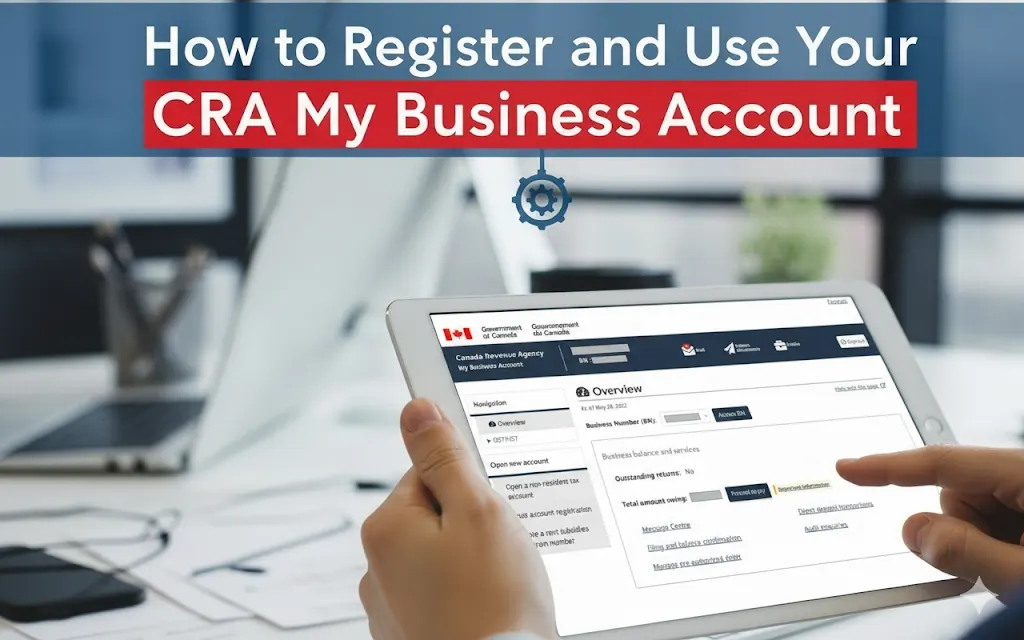
Starting June 16, 2025, the Canada Revenue Agency made online mail the default for all existing businesses. This means your tax notices, assessments, and crucial correspondence now arrive through your My Business Account instead of your mailbox. For Canadian business owners, particularly those working with accounting firms, understanding how to properly register and manage this digital gateway isn’t just convenient—it’s essential for staying compliant and avoiding costly penalties.
The shift to digital-first tax administration represents more than technological convenience. Business owners who fail to establish proper CRA My Business Account access risk missing critical deadlines, losing important correspondence, and creating unnecessary friction with their professional advisors. The system now serves as the primary communication channel between Canadian businesses and the tax authority, making registration a fundamental business competency rather than an optional upgrade.
This comprehensive transition affects every aspect of business tax management, from routine GST/HST filings to complex corporate restructuring. The new framework requires business owners to actively participate in digital authorization processes, understand security protocols, and maintain current contact information. For accounting firms serving clients across regions like the Peace Country, these changes demand updated client onboarding procedures and enhanced digital literacy support.
Top Three Critical Takeaways
1. Registration is Now Mandatory
As of June 16, 2025, all business correspondence from CRA comes through My Business Account only—no more paper mail. Without this account, you’ll miss critical notices and deadlines.
2. You Must Personally Authorize Your Accounting Firm
CRA changed the rules—only you can authorize users through your My Business Account. Phone calls and informal arrangements no longer work.
3. Use Document Verification for Instant Access
Use your smartphone with the new document verification service to get immediate account access and authorize your accounting firm today.
Why every business owner needs this account immediately
The transformation began with Phase 1 on May 12, 2025, when all new business registrations automatically received correspondence online. Phase 2 on June 16, 2025, transitioned existing businesses to digital mail as the default method. This wasn’t a gradual rollout—it was a comprehensive switch affecting millions of Canadian businesses simultaneously.
Consider the practical implications: when CRA posts a notice to your My Business Account, they consider it “received” immediately, regardless of whether you’ve actually seen it. This creates a compressed timeline for response requirements that didn’t exist with traditional mail delivery. A reassessment notice that previously allowed for mail transit time now demands immediate attention upon digital posting.
The authorization process has become equally critical. Accounting firms can no longer rely on informal arrangements or phone-based authorizations. Every professional relationship now requires formal digital authorization through the My Business Account system, with specific permission levels and documented consent procedures. This creates both opportunities for streamlined service and risks for businesses that delay implementation.
Proper authorization ensures seamless tax season preparation, timely responses to CRA inquiries, and proactive compliance management. Without this digital foundation, even the most experienced accounting professionals face unnecessary obstacles in serving their clients effectively.
The complete registration process for September 2025
Getting your CRA My Business Account set up properly from the start saves countless hours later and ensures you maintain compliance with all federal requirements. The registration process has been streamlined significantly, but understanding your options helps you make the best choices for your business needs.
Registration begins with choosing your permanent sign-in method—a decision that shapes every future interaction with CRA systems. The three primary options each offer distinct advantages:
- Sign-In Partners: Leverage existing banking relationships with institutions like RBC, TD, or Scotiabank
- CRA User ID: Creates dedicated credentials exclusively for tax purposes
- Provincial Partners: Available in BC and Alberta, integrate with existing government service accounts
Most business owners find Sign-In Partners most convenient because they eliminate the need to remember additional passwords while maintaining robust security through established banking protocols. However, entrepreneurs who prefer separation between financial and tax account access often choose the CRA User ID option despite its additional password management requirements.
Before starting registration, gather these essential documents:
- Your Social Insurance Number or appropriate alternative (TTN, ITN, or NRRN for non-residents)
- Date of birth
- Amounts from your most recent filed and assessed tax return within the last two years
- Your 9-digit Business Number
- Mobile device with working camera
- Accepted photo identification
Step-by-step registration process:
- Complete the registration form with personal information
- Establish security questions (for CRA User ID users)
- Link your business number to connect personal identity with business obligations
- Complete identity verification (choose document verification or security code method)
Identity verification offers two distinct paths:
Option 1: Document Verification Service (Recommended)
- Provides instant account access using mobile device photography
- Uses Interac-powered real-time document authentication
- Requires mobile device with functioning camera
- Must be at least 16 years old to use
Option 2: Traditional CRA Security Code
- Requires 10 business days for mail delivery
- No mobile device required
- Works for all age groups
- Backup option when document verification unavailable
Accepted alternatives include:
- Canadian driver’s licenses from all 13 provinces and territories
- Provincial or territorial photo ID cards
- Note: Provincial health cards are NOT accepted
Document verification service and mobile requirements
The document verification process represents one of the most significant improvements to government service delivery in recent years. What once required weeks of waiting for mail delivery can now be completed instantly using technology you likely already carry in your pocket.
The Interac-powered document verification service transforms account registration from a weeks-long process into an immediate transaction. This technology uses real-time document authentication combined with facial biometric verification to confirm identity within seconds rather than days.
Mobile device requirements are specific and non-negotiable:
- Works exclusively on mobile devices with functioning cameras
- Excludes tablets, laptops, and desktop computers
- Users must be at least 16 years old
- Requires stable internet connection
Photo capture best practices:
- Ensure documents appear fully visible without obstructions, glare, or shadows
- Keep text clearly readable throughout the photo
- Some identification types require both front and back photography
- System performs real-time validation for immediate feedback
The biometric verification process includes:
- Real-time facial verification matching your government-issued photo ID
- “Motion selfie” – a live facial capture that proves you’re physically present
- One-time biometric analysis (data not stored for future use)
- Immediate validation and account activation upon successful completion
Authorizing accounting firms
Setting up proper authorization for your accounting firm creates the foundation for efficient tax management throughout the year. This digital authorization system offers unprecedented control over who can access your business information and what actions they can perform on your behalf.
Professional authorization has evolved from informal arrangements to structured digital protocols requiring active participation from business owners. The three authorization methods each serve different business relationships:
Method 1: Direct Online Authorization (Fastest)
- Sign into your My Business Account
- Navigate to Profile → Manage Authorized Representatives
- Select “Authorize a Representative”
- Enter your Accountant’s business number:
- Choose Level 2 authorization
- Leave expiry date blank (for indefinite authorization)
- Select “All Accounts” for comprehensive access
- Confirm and submit
Method 2: Representative-Initiated Request
- Accounting firm submits authorization request through EFILE or Represent a Client portal
- Business owner receives notification within 1-2 business days
- Must confirm request within 10 business days
- Requires active participation from business owner
Method 3: Paper Form AUT-01
- Traditional paper-based method
- Requires physical signatures and mailing
- Longest processing time (2-4 weeks)
- Not recommended for urgent authorization needs
Authorization options for accounting firm identification:
- Business Number: A 9-digit number provided to you
- RepID: 7-character alphanumeric starting with G
- GroupID: 6-character alphanumeric starting with G
Level 2 authorization provides the optimal balance for most accounting relationships:
What Level 2 allows your representative to do:
- View all business account information
- Update business number and program account information
- Submit documents to CRA
- Make account changes and requests on your behalf
- File returns and amendments
- Respond to CRA correspondence
- Access GST/HST, payroll, and corporate tax accounts
What Level 2 does NOT allow:
- Authorize additional representatives (Level 3 only)
- Change your personal contact information
- Set up direct deposit for refunds
Authorization scope options:
- Entire business number: Access to all accounts under your BN
- Specific programs: Only GST/HST, only payroll, etc.
- Specific program accounts: Only one particular payroll account
Authorization management tools:
- View current representatives and their access levels
- Modify authorization levels or expiry dates
- Cancel authorizations immediately
- Review transaction histories performed by representatives
- Set up email notifications for representative actions
Understanding authorization levels and representative access
Choosing the right authorization level for your accounting firm determines how effectively they can serve your business while maintaining appropriate security boundaries. Understanding these levels helps you balance convenience with control over your sensitive business information.
Authorization levels comparison:
Level 1: View-Only Access
- View account information and balances
- Read correspondence and notices
- Cannot make changes or submit documents
- Suitable for consultation and advisory services only
Level 2: Standard Representative Access (Recommended)
- All Level 1 permissions PLUS:
- File returns and amendments
- Respond to CRA correspondence
- Submit documents and make account changes
- Update business information
- Cannot authorize additional representatives
Level 3: Delegated Authority
- All Level 2 permissions PLUS:
- Authorize additional representatives
- Essentially equivalent to business owner access
- Should be reserved for senior partners or trusted advisors only
Authorization duration management:
- Default: Indefinite continuation (no expiry date)
- Custom: Set specific expiry dates for temporary access
- Immediate: Cancel representatives instantly through online tools
- History: View deleted or expired representatives for audit trails
Authorization scope options:
- All accounts: Complete access to all programs under your business number
- Specific programs: GST/HST only, payroll only, corporate tax only
- Specific accounts: Individual payroll accounts, specific GST/HST registration
Practical implementation for Peace Country businesses
Businesses in the Peace Country region face unique considerations when implementing digital tax systems, from rural connectivity challenges to regional business practices. Understanding these local factors helps ensure successful adoption of the My Business Account system while maintaining the operational efficiency that drives business success in northern Alberta and BC.
Rural internet connectivity requires strategic planning for document verification processes, as the mobile-dependent system demands reliable data connections for real-time photo upload and biometric verification. Business owners should plan document verification during peak connectivity periods, ensure adequate mobile data allowances for the verification process, and consider backup verification methods if mobile service proves unreliable. Timing registration attempts when internet connection is strongest can prevent frustrating interruptions during the critical identity verification phase.
Conclusion
The CRA My Business Account system represents more than technological modernization—it establishes a new framework for business-government interaction that demands active participation rather than passive compliance. Business owners who master this digital infrastructure gain competitive advantages through faster processing, reduced costs, and enhanced professional relationships, while those who delay implementation face increasing operational friction and compliance risks.
The path forward requires immediate action: registering your My Business Account using document verification for fastest access, authorizing Level 2 access, and establishing robust security through multi-factor authentication with multiple backup methods. Business owners must update contact information and email addresses for critical notifications, then test account access to familiarize themselves with the interface that will become central to their tax management operations.
Long-term success depends on maintaining current authorization for professional advisors, monitoring accounts regularly for correspondence and updates, and keeping security credentials current and secure. The ongoing responsibilities include reviewing representative transaction histories periodically and updating business information as changes occur, creating a continuous cycle of digital tax administration that replaces the traditional annual scramble of paper-based compliance.
Success requires treating the My Business Account system as essential business infrastructure rather than optional convenience. The businesses that thrive under this new framework will be those that integrate digital tax management into their operational systems, maintain proactive compliance postures, and leverage professional relationships enhanced by streamlined authorization processes. The digital transformation of Canadian tax administration is complete—business adaptation determines who benefits from the new efficiency and who struggles with outdated approaches.
About McNabb Lucuk LLP
Office: 201 – 10712 100 Street, Grande Prairie, AB T8V 3X8
Phone: 780‑539‑3400
Email: [email protected]
Website: www.mlllp.ca
Partners: Marlin Lucuk (CPA, CGA) and Duncan McNabb (CPA, CA, CIRP)
Specializing in supporting growth-minded entrepreneurs, small–mid-sized businesses, and non-profit organizations in Peace Country since 2015